Posts

Showing posts with the label Azure Web Apps

Setting up CI and CD pipeline in Azure DevOps for ASP.NET Core and Azure Web Apps

Image
In the last post I talked about Azure DevOps , now we will look into a practical use case of Azure DevOps where we will setup a complete continuous integration (CI) and continuous deployment/delivery(CD) pipeline for a ASP.NET Core project hosted on Azure Web Apps . We will host our project solution on Azure Repo . The basic idea is that we will create an Azure Web app, setup our project on Azure Repo, create CD & CD pipeline on Azure DevOps, and see things in action when we push our code to master branch. Let's get started: Open Azure portal  and go to App Services and click on Create app service .  From the Marketplace templates, choose Web App . Click Create . Choose an app service name that is available, select OS be Windows, Publish by code, then choose an app service plan that fits your budget and click Create . Once the service is deployed, you will get a ntoification, open it and click Go to resource . Here you can see l...
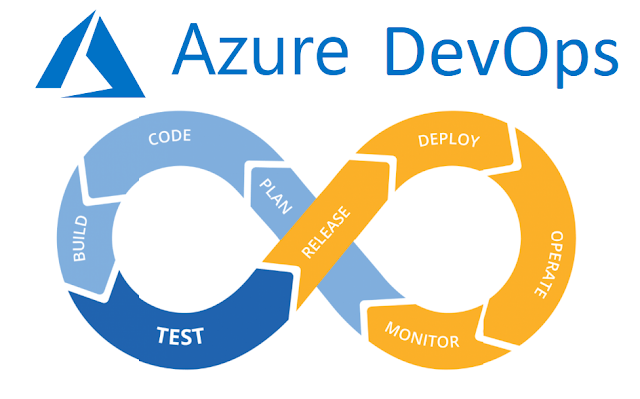

Microsoft Azure DevOps : A Complete CI & CD solution in the cloud

Image
Microsoft announced Azure DevOps in last Quater of 2018. When it comes to project planning, project management, continuous integration (CI) and continuous delivery/deployment (CD) for agile practices, DevOps has always been a hot topic  so Microsoft decided to take the lead with a powerful cloud platform that makes everything available in a single place. No matter what platform or language or repository system your solution is, Azure DevOps got you covered with tools that work cross-platform. The services provided by Azure DevOps help developers build high quality software faster. The core services provided are:  Azure Pipelines Azure Boards Azure Artifacts Azure Repos Azure Test Plans Azure Pipelines Azure DevOps provides Azure pipelines to manage CI/CD tasks that supports any language, platform, and cloud. You can connect to a any Git repository and setup CI/CD workflow. Azure DevOps makes it incredibly easy to setup building, testing, and deployme...

Setting up Free Custom Domain on Microsoft Azure Web App Service

Image
In this blog, we will see how we can get a free domain, create a web app on Microsoft Azure and configure a custom domain on it.We will look into following things: Registering a free domain with  Freenom Creating a Web App in  Microsoft Azure   Configuring a custom domain on Microsoft Azure Web Apps Registering CName and A records on Domain Host-name provider (Freenom) Create and deploy ASP.NET web application on Microsoft Azure Web App through Publish Profile Register Free Domain (.tk) Getting a free domain is not a myth, you can easily obtain a free domain from  Freenom . It provides domains of .tk, .ml, .ga, .cf and .gq host names. The procedure is as follow: Goto  Freenom  and search for the domain name (here I have searched breakthrough77). Search results show availability of name in different domain types. As we can see (as of now) there are five domains available for free. Click on Get it now . After selecting domain,...