Posts

Microsoft Azure Trail Account and Free Services

Image
I have seen a lot of confusion in folks that are new to Microsoft Azure Cloud world about what services are free and how to best utilize trail subscription and free services so I thought to put it into an article here. In a nutshell, Microsoft Azure provides free trial account that has: $200 credit to spend for the first month on all services 12 months of free services Always free services To register a free trial account you need to have a credit card (debit cards won't work) and provide its details to at the time of registration (Azure will run a test transaction of $1 but don't worry they will revert it immediately after transaction is successful). This gives you a subscription to the trial account. You can also see it under your portals subscription section. Now here is something that people often miss out, once you activate MS Azure Free Trial  you get $200 to spend just for the 1 month and after that trial subscription expires. To avail free services yo...

Fundamental of Powershell Scripting

Image
As a developer/programmer, if you have developed expertise in one programming language - learning another is just about understanding the syntax, the rest of the concepts are similar among all languages. So to get started developing automation scripts for Powershell , here are the things you care about: Read input & write output Data Types Operators Conditional Statements Looping Statement Functions  Object oriented scripting Read input & write output Output to console: Lets start with "Hello World!", in powershell there are two ways to output to console: Write-Host Write-Output The second one (Write-Output) is more preferred way to write to console as it does not destroy pipeline inputs.  You can find the code here Input from console: Reading inputs from console is super easy in powershell. Find the code above on my Github Gist here . Data Types Powershell is based on .NET Framework (and Powershell Core on .NET Core)...

Setting up Free Custom Domain on Microsoft Azure Web App Service

Image
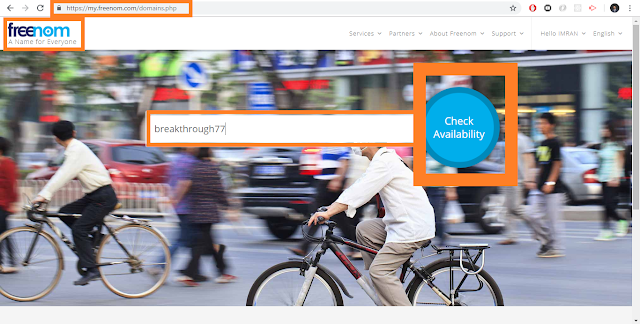
In this blog, we will see how we can get a free domain, create a web app on Microsoft Azure and configure a custom domain on it.We will look into following things: Registering a free domain with  Freenom Creating a Web App in  Microsoft Azure   Configuring a custom domain on Microsoft Azure Web Apps Registering CName and A records on Domain Host-name provider (Freenom) Create and deploy ASP.NET web application on Microsoft Azure Web App through Publish Profile Register Free Domain (.tk) Getting a free domain is not a myth, you can easily obtain a free domain from  Freenom . It provides domains of .tk, .ml, .ga, .cf and .gq host names. The procedure is as follow: Goto  Freenom  and search for the domain name (here I have searched breakthrough77). Search results show availability of name in different domain types. As we can see (as of now) there are five domains available for free. Click on Get it now . After selecting domain,...